You love the convinience of google photos but wondering how to use this free unlimited hosting to display images on you own web resources or maybe on livejournal?
I found a pretty easy straitforward solution for that:
- Open the photo you need to embed on photos.google.com
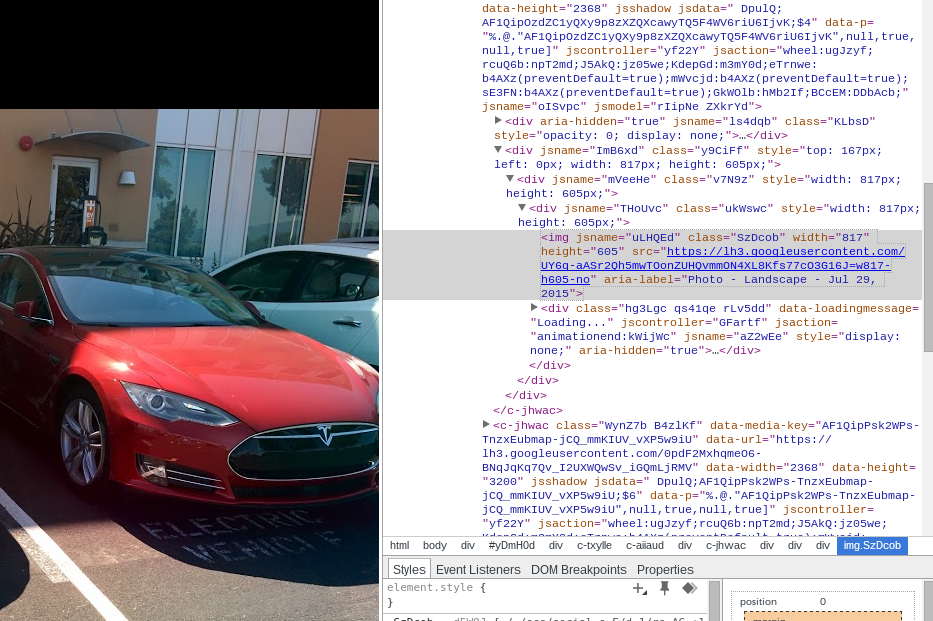
- Right click on it (context menu) and hit “inspect element”
- Copy the line with the src=”…” - it containts the link to the physical addres of where Google stores this photo.
- Now just use this src link on your web resource with the img html tag.
- Profit!
Here is the screenshoot with what you need to find: